 Our Client Reviews

The rise of on-demand transportation has changed the way people travel. Instead of calling a taxi or waiting at a traditional taxi stand, users can now book a ride, track their driver, make payments, and rate their experience directly from a smartphone.
This has created significant opportunities for businesses looking to launch their own ride booking app, taxi booking platform, corporate transportation solution, or ride-hailing marketplace.
However, building a successful ride booking application requires much more than a mobile interface. A complete platform needs passenger and driver applications, real-time GPS tracking, ride matching, payments, notifications, route management, an admin dashboard, and a scalable backend.
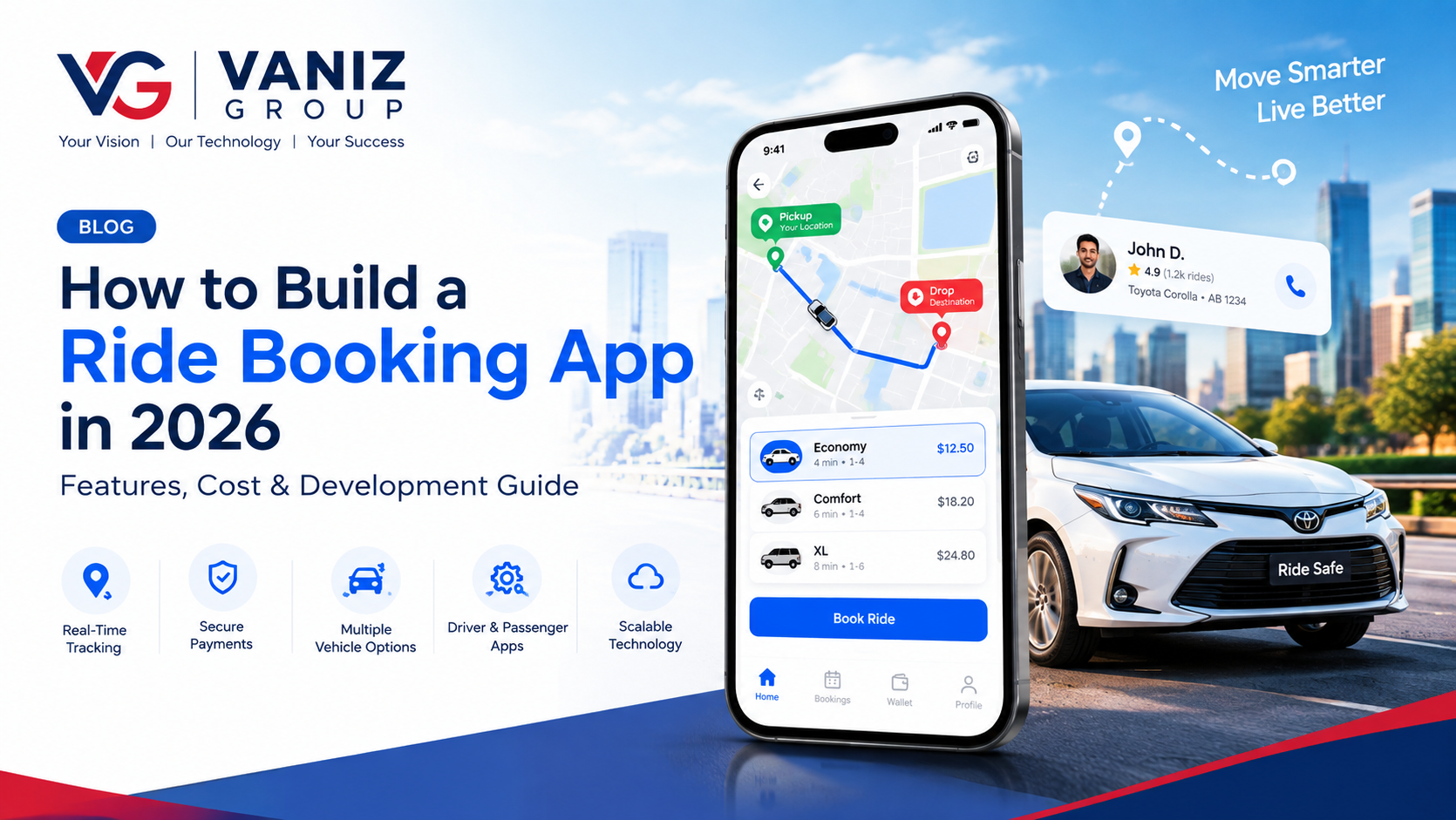
In this guide, we explain how to build a ride booking app in 2026, including its essential features, technology stack, development process, estimated cost, timeline, and scalability considerations.
What Is a Ride Booking App?
A ride booking app is a mobile or web-based platform that connects passengers with drivers who provide transportation services.
Users can typically:
Enter their pickup location
Select a destination
View estimated fares
Request a ride
Track the driver
Communicate with the driver
Complete payment
Rate the ride
View booking history
For businesses, the platform can provide tools for managing drivers, customers, vehicles, fares, payments, promotions, and ride operations.
A modern ride booking platform generally consists of three major components:
Passenger App
Driver App
Admin Dashboard
The backend connects all three components and manages the business logic and real-time communication.
How Does a Ride Booking App Work?
The basic ride booking process looks like this:
The passenger opens the application.
The app detects or receives the pickup location.
The passenger enters the destination.
The system calculates the estimated fare and route.
The passenger selects a vehicle category.
A ride request is created.
Nearby eligible drivers receive the request.
A driver accepts the ride.
The passenger receives driver and vehicle information.
The passenger tracks the driver in real time.
The ride begins.
GPS and route information are updated during the trip.
The ride ends at the destination.
Payment is processed.
Both passenger and driver can provide ratings and feedback.
Although the process looks simple to the user, it requires several interconnected services working together in real time.
Key Features of a Ride Booking App
1. User Registration and Login
Passengers should be able to create accounts using:
Phone number
Email
Password
OTP verification
Social login where appropriate
User profiles can store personal details, saved locations, booking history, payment preferences, ratings, and other relevant information.
2. Location and GPS Integration
Location services are one of the most important components of a ride booking application.
The app should be able to:
Detect the user's current location
Select pickup points
Search destinations
Display routes
Calculate distances
Track drivers
Update locations in real time
Map and location APIs can be integrated to provide these capabilities.
3. Ride Search and Booking
Passengers should be able to enter pickup and destination locations and request a ride.
The booking screen can display:
Pickup location
Destination
Estimated distance
Estimated travel time
Available vehicle categories
Estimated fare
Payment method
A simple booking process can significantly improve the overall user experience.
4. Multiple Vehicle Categories
A platform can support different vehicle types depending on its target market.
Examples include:
Economy
Sedan
SUV
Premium
Electric vehicle
Bike
Auto-rickshaw
Van
Accessible vehicle
Each category can have its own pricing and availability rules.
5. Real-Time Driver Matching
Once a passenger requests a ride, the system needs to identify suitable nearby drivers.
The matching algorithm can consider:
Driver location
Distance from passenger
Vehicle type
Driver availability
Driver status
Ride preferences
Estimated arrival time
For larger platforms, an optimized matching system becomes extremely important.
6. Driver App
The driver application is as important as the passenger application.
Driver features can include:
Registration
Profile management
Document submission
Vehicle management
Online/offline status
Ride requests
Accept/reject ride
Navigation
Passenger information
Earnings
Ride history
Ratings
Notifications
The driver should be able to manage the entire ride workflow from the application.
7. Real-Time Ride Tracking
Passengers should be able to see the driver's location on a map after a ride is accepted.
Real-time tracking can display:
Driver location
Vehicle location
Estimated arrival time
Route
Destination
Ride status
This typically requires continuous location updates between the driver application and backend services.
8. Fare Calculation
The platform should automatically calculate the estimated and final ride price.
Pricing can depend on:
Base fare
Distance
Duration
Vehicle category
Taxes
Platform fees
Location
Time of day
Demand
Promotions
Businesses can also implement their own pricing rules depending on their operational model.
9. Online Payments
A ride booking app should support secure digital payments.
Depending on the target market, payment options may include:
Credit cards
Debit cards
Digital wallets
Bank payments
Local payment methods
Cash payments
The backend should also maintain accurate transaction records for every completed ride.
10. Ride Scheduling
Instead of requesting an immediate ride, users can schedule transportation for a future date and time.
This can be useful for:
Airport transfers
Business travel
Medical transportation
Events
Corporate transportation
Long-distance trips
Scheduled rides require additional backend logic for driver assignment and reminders.
11. Push Notifications
Notifications keep passengers and drivers informed about ride activity.
Examples include:
Ride request
Driver acceptance
Driver arrival
Ride started
Ride completed
Payment confirmation
Cancellation
Promotional offers
12. Ratings and Reviews
After completing a ride, passengers and drivers can rate each other.
The system can support:
Star ratings
Written feedback
Driver ratings
Passenger ratings
Ride-specific reviews
Ratings can help maintain service quality across the platform.
Admin Dashboard Features
A powerful admin dashboard gives the business complete control over the platform.
Administrators can manage:
Customers
Drivers
Vehicles
Ride bookings
Payments
Pricing
Coupons
Promotions
Complaints
Reviews
Driver documents
Service areas
Reports
Analytics
The dashboard can also provide real-time operational information such as active rides, available drivers, completed rides, cancellations, and revenue.
Advanced Features for a Ride Booking App
Once the core application is working, businesses can introduce advanced features to differentiate their platform.
These can include:
Ride Pooling
Multiple passengers can share a ride, potentially reducing costs and improving vehicle utilization.
Corporate Accounts
Companies can create business accounts and manage transportation for employees.
Wallet System
Users can maintain an in-app balance for faster payments.
Loyalty Programs
Businesses can reward frequent customers through points, discounts, or membership programs.
Promo Codes
Customers can receive discounts through promotional campaigns.
Emergency and Safety Features
The application can include features such as emergency assistance, trusted contacts, trip sharing, and safety-related reporting.
AI-Powered Features
AI can potentially assist with:
Demand forecasting
Driver allocation
Route recommendations
Customer support
Fraud detection
Personalized offers
Operational analytics
How to Build a Ride Booking App
1. Define Your Business Model
Start by deciding what type of transportation platform you want to build.
For example:
Taxi booking platform
Ride-hailing marketplace
Corporate transportation platform
Local taxi application
Bike booking platform
Airport transfer application
Delivery and transportation platform
Your business model will determine the features and architecture you need.
2. Identify Your Target Market
Research the geographical market and customer requirements.
Consider:
Target cities
Transportation regulations
Customer preferences
Driver requirements
Payment methods
Vehicle categories
Pricing models
Competitors
A localized strategy can help you build a more relevant product.
3. Plan the MVP
Instead of developing every feature initially, start with the essential functionality.
A ride booking MVP can include:
Passenger registration
Driver registration
Location selection
Ride booking
Driver matching
GPS tracking
Fare calculation
Payments
Notifications
Ratings
Admin dashboard
Additional features can be introduced after validating the product.
4. Design the UI/UX
The interface should be simple because users may need to book rides quickly.
Important screens include:
Login
Home
Pickup selection
Destination selection
Vehicle selection
Fare estimate
Booking confirmation
Driver tracking
Ride details
Payment
Ride history
Profile
The driver application should have an equally streamlined experience.
5. Choose the Technology Stack
A suitable technology stack might include:
Mobile App
Flutter
React Native
Native Android
Native iOS
Frontend
React
Angular
Next.js
Backend
Node.js
ASP.NET Core
Java / Spring Boot
Database
PostgreSQL
MySQL
SQL Server
MongoDB where appropriate
Cloud Infrastructure
AWS
Microsoft Azure
Docker
CI/CD
Real-Time Communication
WebSockets
Real-time messaging services
Push notification services
The final technology stack should be selected based on performance requirements, development resources, integrations, and expected scale.
6. Develop the Backend
The backend is responsible for coordinating the entire ride booking ecosystem.
It can manage:
Users
Drivers
Vehicles
Locations
Ride requests
Driver matching
Pricing
Payments
Notifications
Reviews
Promotions
Reports
A scalable API architecture allows passenger apps, driver apps, web dashboards, and external services to communicate reliably.
7. Integrate Maps and Location Services
Map integrations are essential for calculating routes, distances, estimated travel time, and driver locations.
The system should also be designed to handle GPS updates efficiently without unnecessarily increasing infrastructure and API costs.
8. Implement Ride Matching
The ride matching engine is one of the most important components.
A basic system may assign a ride to the nearest eligible driver.
A more advanced system can consider:
Driver proximity
Traffic
Vehicle category
Driver availability
Estimated pickup time
Driver acceptance patterns
Current demand
The matching system can become increasingly sophisticated as the platform grows.
9. Integrate Payment Services
Implement secure payment processing and ensure that booking, payment, and ride status remain synchronized.
The system should handle:
Successful payments
Failed payments
Refunds
Cancellations
Payment confirmations
Driver earnings
Platform commissions
10. Test the Application
Testing should cover more than basic functionality.
Important testing areas include:
Functional testing
API testing
GPS testing
Real-time tracking
Payment testing
Security testing
Performance testing
Load testing
Mobile compatibility
Driver/passenger concurrency
Real-world scenarios such as weak network connectivity, GPS inaccuracies, driver cancellation, and payment failure should also be tested.
11. Launch and Monitor
After testing, deploy the backend infrastructure and release the mobile applications.
Monitoring should track:
Application crashes
API errors
Ride failures
Payment failures
Server performance
Database performance
User activity
Driver activity
Continuous monitoring helps identify issues before they significantly affect customers.
How Much Does It Cost to Build a Ride Booking App in 2026?
The ride booking app development cost depends heavily on the number of platforms, features, real-time functionality, integrations, design complexity, and backend architecture.
A broad development estimate is:
Platform Type | Estimated Cost |
|---|---|
Basic Ride Booking MVP | $15,000 – $30,000 |
Medium Ride-Hailing Platform | $30,000 – $70,000 |
Advanced Ride Booking Platform | $70,000 – $150,000+ |
These are general planning estimates rather than fixed development quotes.
The final cost can increase when the platform requires sophisticated driver matching, real-time tracking, multiple vehicle categories, corporate accounts, advanced analytics, AI features, multiple countries, or complex payment and regulatory integrations.
The most practical approach is to start with an MVP and expand the platform based on real user requirements.
How Long Does It Take to Build a Ride Booking App?
Development time depends on the complexity of the platform.
A basic MVP may take approximately 3–5 months, while a larger ride-hailing platform can take 6–12 months or more.
The development timeline generally includes:
Business analysis
UI/UX design
Passenger app development
Driver app development
Backend development
Admin dashboard
API integrations
Payment integration
Testing
Deployment
Building an MVP first can reduce initial development time and allow businesses to test the market before investing in advanced functionality.
Common Challenges in Ride Booking App Development
Real-Time Location Tracking
Frequent GPS updates require efficient data handling and infrastructure to maintain accurate tracking without excessive battery or server usage.
Driver Availability
The platform must accurately maintain driver online/offline status and availability.
Ride Matching
Finding an appropriate driver quickly becomes more complicated as the number of drivers and passengers increases.
Dynamic Pricing
Pricing can become complex when distance, time, demand, location, vehicle type, promotions, and other factors are involved.
Payment and Refunds
The system needs reliable workflows for successful payments, failed payments, cancellations, refunds, and driver payouts.
Scalability
As the platform grows, thousands of users may search, book, track, and complete rides simultaneously. A scalable cloud architecture becomes essential.
Security
The application should protect user accounts, location information, payment-related data, APIs, and administrative functions using appropriate security controls.
How to Make Your Ride Booking App Stand Out
The ride-hailing market is competitive, so simply offering basic ride booking may not be enough.
Businesses can differentiate their platforms through:
Faster driver matching
Better local coverage
Transparent pricing
Corporate transportation
Electric vehicle options
Scheduled rides
Loyalty programs
Better customer support
Multiple payment options
AI-powered recommendations
Improved safety features
Regional language support
Localized services
Instead of trying to compete with every existing platform, consider solving a specific transportation problem for a particular customer segment.
Final Thoughts
Building a ride booking app in 2026 requires much more than developing a passenger-facing mobile application. A successful platform needs a reliable driver app, passenger app, admin dashboard, real-time GPS tracking, ride matching, payment processing, notifications, scalable backend, and secure API architecture.
Starting with a focused MVP can help control the initial development cost while allowing you to validate your business model. Once the platform gains traction, advanced features such as scheduled rides, corporate accounts, loyalty programs, AI-powered analytics, ride pooling, and intelligent driver matching can be added.
Whether you want to build a local taxi booking platform, an Uber-like ride-hailing application, a corporate transportation system, or a specialized mobility platform, choosing the right technology architecture from the beginning can make future expansion significantly easier.
Build Your Ride Booking App With Vaniz Group
At Vaniz Group, we help businesses turn transportation and mobility ideas into scalable digital products.
Our capabilities include mobile app development, web application development, API development and integration, real-time systems, cloud solutions, payment gateway integration, custom software development, AI automation, and backend development.
If you are planning to build a ride booking app, taxi booking platform, ride-hailing application, driver management system, or custom transportation solution, Vaniz Group can help you take the idea from product planning and UI/UX design through development, integrations, deployment, and future scaling.
Have a ride booking app idea? Contact Vaniz Group to discuss your project and development requirements.