 Our Client Reviews

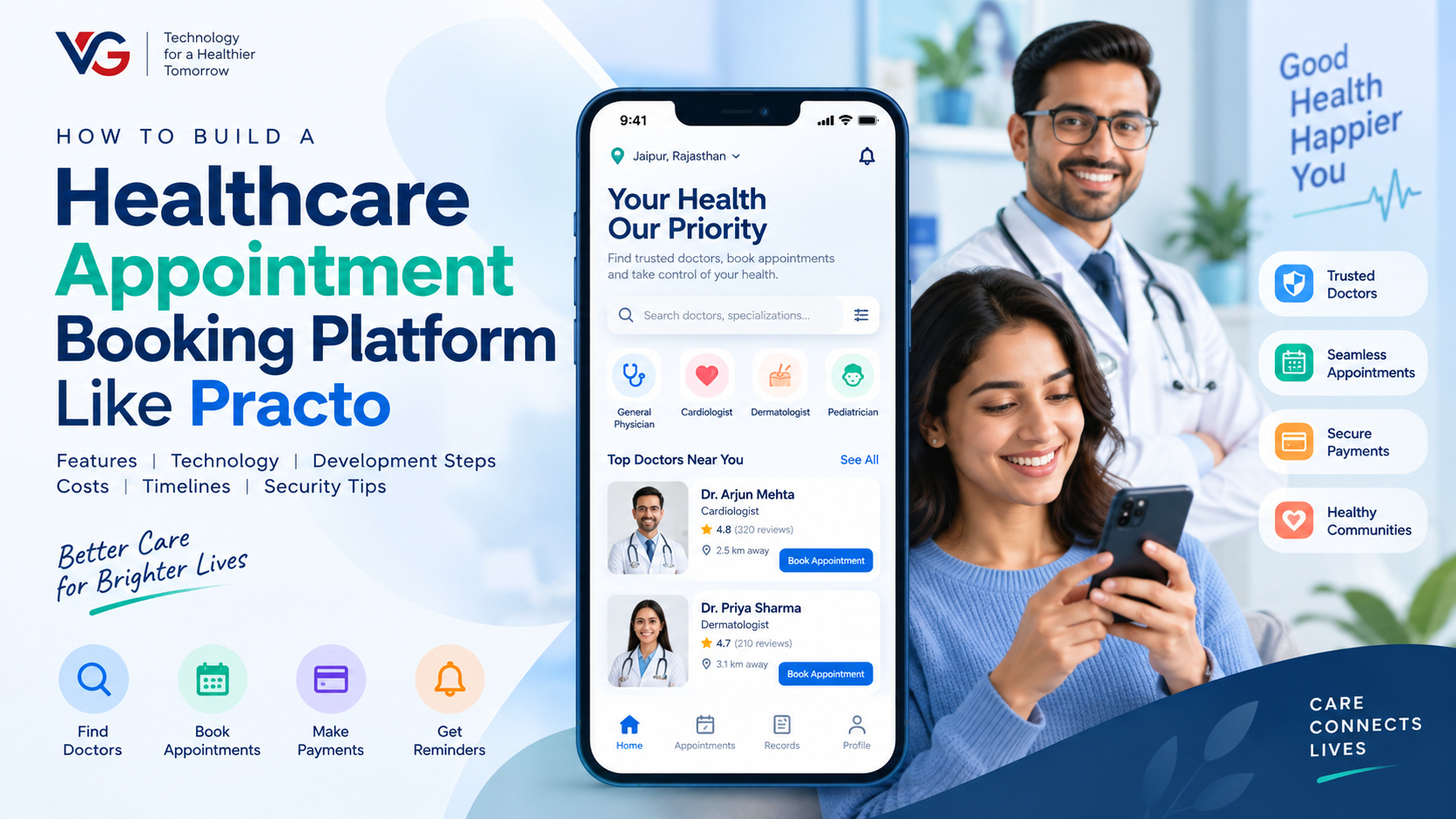
Healthcare is becoming increasingly digital, and patients now expect to find doctors, compare available services, book appointments, make payments, and receive reminders without relying entirely on phone calls or physical visits. This has created growing demand for healthcare appointment booking platforms that connect patients with doctors, clinics, and hospitals through a single digital platform.
Platforms like Practo demonstrate how healthcare discovery, appointment scheduling, online consultations, and related services can be combined into one ecosystem. If you are planning to build a similar healthcare platform, the development involves much more than creating a simple booking form.
This guide explains how to build a healthcare appointment booking platform like Practo, including essential features, technology, development steps, estimated costs, timelines, and important security considerations.
What Is a Healthcare Appointment Booking Platform?
A healthcare appointment booking platform is a web or mobile-based system that allows patients to discover healthcare providers and schedule appointments online.
Depending on the business model, the platform can connect:
Patients
Doctors
Clinics
Hospitals
Diagnostic centers
Healthcare administrators
A complete platform can support doctor discovery, appointment scheduling, online payments, telemedicine consultations, reviews, notifications, patient records, and administrative management.
A Practo-like platform can therefore operate as a multi-sided healthcare marketplace rather than simply an appointment calendar.
How Does a Healthcare Appointment Booking Platform Work?
The basic workflow is straightforward:
Patient → Doctor Search → Doctor Profile → Available Slot → Appointment → Payment → Confirmation → Reminder → Consultation
A typical process works like this:
The patient creates an account.
The patient searches for a doctor or healthcare provider.
The platform displays relevant doctors based on specialization, location, availability, and other filters.
The patient opens a doctor's profile.
Available appointment slots are displayed.
The patient selects a date and time.
The patient provides the required information.
Payment is completed if required.
The doctor and patient receive confirmation.
Automated reminders are sent before the appointment.
The consultation takes place online or at the clinic.
The appointment status is updated in the system.
This workflow should be designed carefully because appointment conflicts, cancellations, rescheduling, payments, and provider availability can make healthcare scheduling considerably more complex.
Key Features of a Healthcare Appointment Booking Platform
1. Patient Registration and Login
Patients should be able to create accounts using:
Email
Phone number
OTP verification
Social login where appropriate
The profile can store basic information such as name, contact details, age, preferences, and appointment history.
Authentication should be implemented securely, particularly because healthcare platforms may process sensitive information.
2. Doctor Search and Discovery
Search is one of the most important parts of a healthcare platform.
Patients should be able to search for doctors using:
Medical specialization
Location
Consultation type
Availability
Experience
Languages
Consultation fees
Ratings
Gender preferences where applicable
A well-designed search system can help patients quickly find relevant healthcare providers.
3. Doctor Profiles
Each healthcare professional can have a detailed profile containing:
Name
Specialization
Qualifications
Experience
Clinic information
Consultation fee
Languages
Available services
Working hours
Location
Ratings and reviews
Consultation options
The profile should provide enough information for patients to understand the provider's services before making an appointment.
4. Real-Time Appointment Availability
Patients should be able to see available appointment slots without contacting the clinic manually.
The scheduling system can manage:
Working hours
Breaks
Holidays
Appointment duration
Available slots
Booked slots
Cancellations
Rescheduling
Multiple clinic locations
The system should also prevent two patients from booking the same slot.
5. Appointment Booking
The booking system should allow patients to:
Select a doctor
Select a service
Choose a date
Select an available time
Provide required information
Confirm the appointment
Make payment where applicable
The platform should generate a unique appointment record that can be accessed by both the patient and healthcare provider.
6. Online Consultation
A healthcare platform can also support remote consultations through:
Video calls
Voice calls
Secure chat
Digital consultation rooms
Video consultation can be implemented using appropriate real-time communication technologies and third-party services.
7. Online Payments
Payment integration allows patients to pay for consultations directly through the platform.
Depending on the market, you may integrate:
Credit and debit cards
Bank payments
Digital wallets
UPI
Other regional payment methods
The system should also handle payment status, receipts, refunds, and failed transactions.
8. Appointment Reminders and Notifications
Automated notifications can reduce missed appointments.
Notifications can be sent through:
Push notifications
Email
SMS
In-app notifications
For example, the system can send confirmation immediately after booking and reminders before the scheduled appointment.
9. Ratings and Reviews
Patients can provide feedback after consultations.
A review system can include:
Star ratings
Written reviews
Service feedback
Doctor experience feedback
Moderation tools should be available to prevent abusive or inappropriate content.
10. Appointment History
Patients should have access to their previous and upcoming appointments.
The dashboard can display:
Upcoming appointments
Completed appointments
Cancelled appointments
Rescheduled appointments
Payment history
Consultation information where applicable
Doctor and Healthcare Provider Features
A Practo-like platform also requires a dedicated provider portal.
Doctors should be able to:
Create and manage profiles
Add qualifications
Define consultation fees
Manage availability
Configure working hours
Accept or manage appointments
Reschedule appointments
View patient information permitted by the platform
Conduct online consultations
Manage earnings
Receive notifications
View appointment history
For clinics and hospitals, additional functionality may be required.
Clinic and Hospital Management Features
Healthcare organizations may need:
Multiple doctor management
Multiple branch management
Department management
Staff accounts
Doctor schedules
Appointment management
Patient management
Billing
Reports
Service management
Availability management
Role-based access can ensure that administrators, doctors, receptionists, and other staff members only access information relevant to their responsibilities.
Admin Dashboard Features
The admin panel acts as the central management system.
Important features include:
User Management
Manage patient accounts, healthcare providers, clinics, and staff.
Doctor Verification
The platform can include workflows for reviewing provider information and documentation before profiles become publicly searchable.
Appointment Management
Administrators can monitor appointment activity, cancellations, rescheduling, and platform-level issues.
Payment Management
Track:
Transactions
Refunds
Platform fees
Provider payouts
Failed payments
Content Management
Manage healthcare categories, informational content, FAQs, promotional content, and other platform data.
Analytics and Reports
The dashboard can provide information about:
New registrations
Appointments
Revenue
Active doctors
Active clinics
Cancellation rates
Popular specialties
Platform activity
Advanced Features for a Practo-Like Platform
Once the core platform is working, additional features can be introduced.
AI-Powered Doctor Discovery
AI can help patients discover potentially relevant providers based on search behavior, preferences, location, specialization, and other permitted factors.
AI Healthcare Assistant
An AI assistant can help users navigate platform services, answer general platform-related questions, and assist with appointment discovery.
It should not be presented as a substitute for professional medical diagnosis or treatment.
Telemedicine
Remote healthcare services can include:
Video consultations
Voice consultations
Secure messaging
Appointment scheduling
Digital consultation workflows
Digital Prescriptions
Where legally and operationally appropriate, doctors may be able to generate digital prescriptions through the platform.
Multiple Healthcare Services
The platform can expand beyond doctor appointments to include:
Diagnostic testing
Pharmacy services
Health packages
Lab bookings
Home healthcare
Wellness services
Multi-Location Support
Large healthcare organizations can manage doctors, clinics, hospitals, and appointments across multiple locations.
How to Build a Healthcare Appointment Booking Platform Like Practo
1. Define Your Business Model
Start by deciding what your platform will provide.
For example, you could build:
Doctor appointment marketplace
Clinic booking platform
Hospital appointment system
Telemedicine platform
Healthcare marketplace
Multi-service healthcare platform
The business model determines the features and architecture you need.
2. Research Your Target Market
Identify your target users and their expectations.
Consider:
Geographic market
Healthcare specialties
Patient demographics
Doctor requirements
Payment methods
Local healthcare regulations
Competitor platforms
This research helps determine which features should be included in the first release.
3. Define the MVP
Instead of launching every feature at once, start with the essential functionality.
A healthcare appointment MVP could include:
Patient registration
Doctor profiles
Doctor search
Availability management
Appointment booking
Notifications
Payments
Doctor dashboard
Admin dashboard
Advanced features can be introduced after validating the platform.
4. Design the UI/UX
Healthcare applications should be easy to navigate.
Design separate experiences for:
Patients
Doctors
Clinics
Administrators
The booking process should be simple, with minimal unnecessary steps between searching for a doctor and confirming an appointment.
5. Choose the Technology Stack
A possible technology stack includes:
Mobile: Flutter, React Native, native Android, native iOS
Web: React, Angular, Next.js, or Vue.js
Backend: Node.js with Express, ASP.NET Core, or Java/Spring Boot
Database: PostgreSQL, MySQL, SQL Server, or MongoDB where appropriate
Cloud: AWS or Microsoft Azure
Infrastructure: Docker, CI/CD, monitoring, and scalable cloud infrastructure
Communication: WebSockets, WebRTC, push notifications, email, and SMS
The final technology selection should depend on the platform's requirements, integrations, development team, and expected scale.
6. Develop the Backend and APIs
The backend handles the core business logic, including:
Authentication
User management
Doctor management
Appointment scheduling
Availability
Payments
Notifications
Reviews
Reports
APIs
An API-first architecture can also make it easier to support web and mobile applications from the same backend.
7. Build the Appointment Scheduling Engine
This is one of the most important technical components.
The scheduling system should account for:
Provider working hours
Appointment duration
Break periods
Holidays
Existing bookings
Cancellations
Rescheduling
Multiple locations
Time zones where applicable
The system should use reliable transaction handling to minimize double-booking issues.
8. Integrate Payments and Notifications
Add the required payment gateways and notification providers.
Payments should support appropriate transaction states, while notifications should be triggered by events such as booking, cancellation, rescheduling, and upcoming appointments.
9. Implement Security and Privacy
Healthcare software requires careful attention to data security.
Depending on the countries and types of data involved, the platform may need to consider requirements such as HIPAA in applicable U.S. contexts, GDPR/UK GDPR where applicable, and local healthcare and privacy regulations.
Security measures can include:
Encryption
Secure authentication
Role-based access control
Audit logging
Secure APIs
Data backups
Access monitoring
Secure cloud infrastructure
Exact compliance requirements depend on the jurisdiction, data being processed, and functionality of the platform, so appropriate legal and compliance professionals should be consulted.
10. Test the Platform
Healthcare scheduling software requires extensive testing.
Test:
Registration
Search
Appointment booking
Concurrent bookings
Cancellation
Rescheduling
Payments
Notifications
Video consultations
Role permissions
API security
Performance
Mobile responsiveness
Load testing is also important before launching a platform expected to support a large number of users.
How Much Does It Cost to Build a Healthcare Appointment Booking Platform?
The development cost depends heavily on the number of platforms, features, integrations, design requirements, and geographic market.
As a broad planning range:
Platform Type | Estimated Development Cost |
|---|---|
Basic Healthcare Booking MVP | $15,000–$30,000 |
Multi-Doctor / Multi-Clinic Platform | $30,000–$70,000 |
Advanced Healthcare Platform | $70,000–$150,000+ |
These are broad estimates rather than fixed market prices. Features such as telemedicine, complex scheduling, healthcare integrations, AI functionality, multi-region support, and extensive compliance requirements can significantly affect the final budget.
How Long Does It Take to Build?
A basic healthcare appointment booking MVP may take approximately 3–5 months.
A larger multi-doctor or multi-clinic platform may require around 5–8 months, while an advanced healthcare ecosystem with telemedicine, multiple integrations, AI, and enterprise functionality can take 8–12+ months.
The timeline depends on the scope, team size, integrations, testing requirements, and regulatory considerations.
Common Challenges in Healthcare Appointment Platform Development
Several challenges need to be considered during development.
Appointment Conflicts
The scheduling engine must prevent duplicate bookings and correctly handle changes in availability.
Data Security
Healthcare-related information requires strong access controls and appropriate security practices.
Provider Verification
The platform needs a reliable process for validating healthcare provider information where required.
Payment and Refunds
Different appointment types may require different payment, cancellation, and refund rules.
Telemedicine
Video consultations require reliable real-time communication infrastructure and appropriate privacy controls.
Scalability
As the number of patients and providers increases, search, scheduling, APIs, databases, and notification systems must continue performing reliably.
How to Make Your Healthcare Platform Different
You do not need to reproduce every feature of an established healthcare platform.
Instead, you can focus on a specific market or problem.
For example:
Specialty-focused healthcare
Local healthcare discovery
Multi-language healthcare services
Telemedicine-first platform
Hospital-focused booking
Corporate healthcare
Home healthcare
Diagnostic booking
Women's healthcare
Pediatric healthcare
Mental wellness services
Chronic-care management
A focused healthcare platform can have a simpler MVP while addressing a specific user need.
Final Thoughts
Building a healthcare appointment booking platform like Practo requires a combination of healthcare software development, appointment scheduling, secure APIs, payment integration, notifications, provider management, and scalable cloud infrastructure.
The best approach is to start with a focused MVP covering patient registration, doctor discovery, provider profiles, appointment scheduling, payments, notifications, and administration. Once the platform has been validated, advanced capabilities such as telemedicine, AI-assisted discovery, digital prescriptions, diagnostic services, and multi-location management can be introduced.
The architecture should also be designed with security, scalability, and applicable healthcare regulations in mind from the beginning.
Build Your Healthcare Appointment Booking Platform With Vaniz Group
Vaniz Group develops custom healthcare applications, appointment booking platforms, web applications, APIs, cloud solutions, and mobile applications tailored to specific business requirements.
Whether you need a doctor booking platform, clinic appointment system, telemedicine solution, or a complete healthcare marketplace, the platform can be designed around your target users, business model, integrations, and growth plans.
Ready to build your healthcare appointment booking platform? Contact Vaniz Group to discuss your idea, features, technology requirements, and development roadmap.