 Our Client Reviews


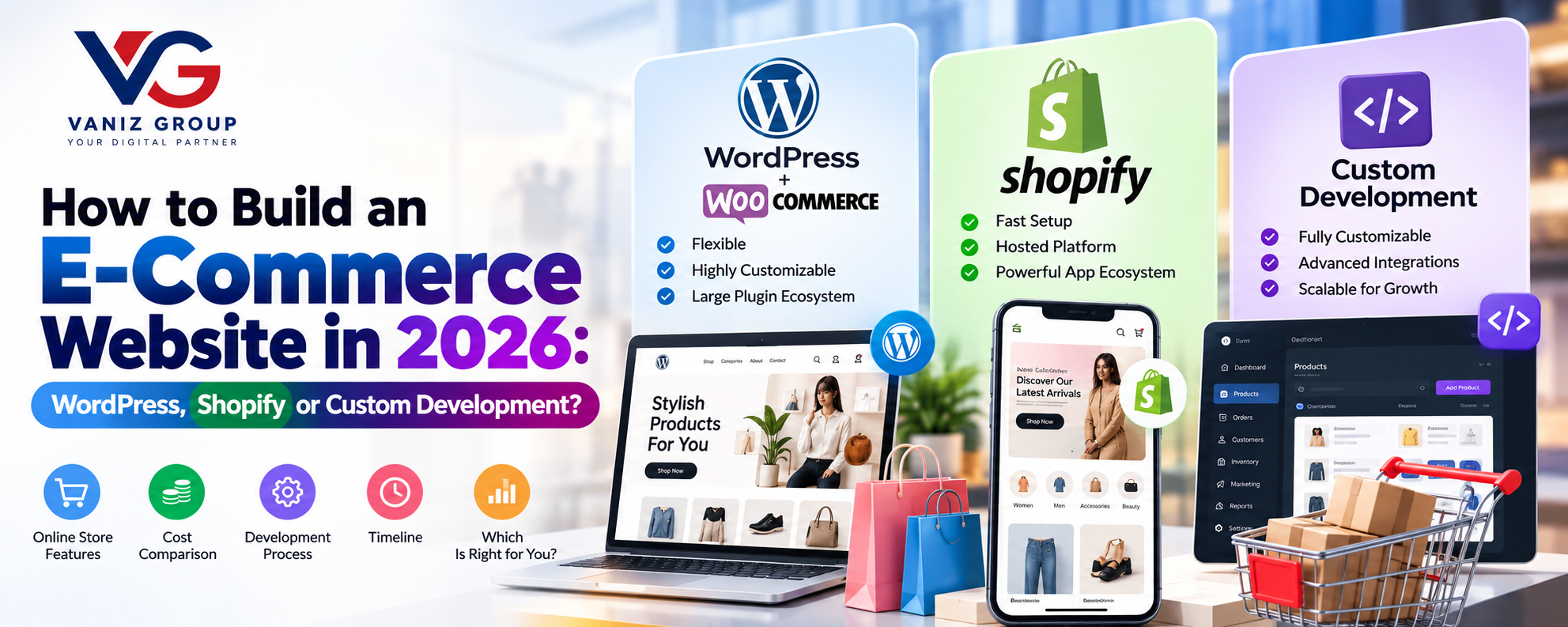
E-commerce has become an essential sales channel for businesses of all sizes. Whether you are launching a small online store, expanding an existing retail business, or building a large multi-vendor marketplace, choosing the right technology can have a major impact on your website's performance, scalability, management, and long-term costs.
In 2026, businesses have several options for building an online store. WordPress with WooCommerce, Shopify, and custom e-commerce development are three of the most common approaches.
Each option provides a different balance between flexibility, ease of management, customization, scalability, and development cost.
In this guide, we explain how to build an e-commerce website using WordPress, Shopify, or custom development, the features each approach can provide, estimated costs, development timelines, and how to choose the right solution for your business.
What Is an E-Commerce Website?
An e-commerce website is an online platform that allows businesses to display products or services and sell them directly to customers.
A complete e-commerce system can include:
Product catalog
Product search
Categories
Product variants
Shopping cart
Checkout
Payment gateways
Customer accounts
Order management
Inventory management
Shipping
Coupons and discounts
Reviews and ratings
Analytics
Marketing tools
Customer support
Depending on the business model, an e-commerce website can be built for a single retailer, a manufacturer, a brand, a service provider, or a multi-vendor marketplace.
Three Ways to Build an E-Commerce Website
There are three major approaches to consider:
1. WordPress + WooCommerce
WooCommerce turns WordPress into an e-commerce platform and provides extensive customization through themes, plugins, extensions, and custom development.
2. Shopify
Shopify is a hosted e-commerce platform that provides store infrastructure, management tools, themes, apps, payments, and other commerce functionality through one ecosystem.
3. Custom E-Commerce Development
A custom e-commerce website is developed specifically around the business's requirements using technologies such as React, Next.js, Node.js, ASP.NET Core, or other suitable technologies.
The right approach depends on the business requirements rather than simply choosing the most technically advanced option.
How to Build an E-Commerce Website Using WordPress and WooCommerce
WordPress with WooCommerce is a popular approach for businesses that want a flexible online store with a large ecosystem of themes and plugins.
Step 1: Set Up WordPress Hosting
Start by selecting suitable hosting and installing WordPress.
Your hosting environment should provide:
SSL
Database support
Backups
Security controls
Adequate storage
Performance resources
Scalable infrastructure where required
The hosting requirements will increase as the store grows.
Step 2: Install WooCommerce
WooCommerce provides the core functionality required for an online store.
It can manage:
Products
Categories
Orders
Customers
Taxes
Shipping
Payments
Coupons
Store settings
Additional functionality can be introduced through extensions or custom development.
Step 3: Choose an E-Commerce Theme
The website design should provide a responsive shopping experience across:
Desktop
Mobile
Tablet
Important pages typically include:
Homepage
Shop
Category pages
Product pages
Cart
Checkout
Account
Order tracking
Contact page
Step 4: Add Products
Products can include:
Product name
Description
Images
Videos
Price
Sale price
SKU
Stock
Categories
Tags
Variations
Attributes
For example, a clothing store may need:
Product → Color → Size → Stock
The product structure should be planned carefully before adding a large catalog.
Step 5: Configure Payments
WooCommerce supports integration with various payment providers.
Depending on your market, you may offer:
Credit cards
Debit cards
Digital wallets
Bank payments
UPI
Buy-now-pay-later services
Cash on delivery
The payment system should be configured according to the target market and business model.
Step 6: Configure Shipping
Shipping functionality can include:
Shipping zones
Flat-rate shipping
Free shipping
Location-based rates
Shipping carriers
Delivery tracking
Advanced stores can integrate external shipping and logistics services.
Step 7: Add Marketing Features
WooCommerce stores can integrate features such as:
Coupons
Discount codes
Product recommendations
Email marketing
Abandoned-cart recovery
Loyalty programs
Affiliate systems
Analytics
SEO tools
WordPress E-Commerce Features
A WooCommerce store can include:
Product catalog
Product variants
Categories
Search
Filters
Shopping cart
Checkout
Customer accounts
Wishlist
Product reviews
Coupons
Discounts
Payment gateways
Shipping integration
Tax configuration
Inventory management
Order management
Refund management
Email notifications
Analytics
SEO
Blog/content marketing
Social media integrations
Custom WordPress development can also be used when standard plugins do not provide the required functionality.
How to Build an E-Commerce Website Using Shopify
Shopify provides a hosted environment where businesses can create and manage online stores without building the entire infrastructure from scratch.
Step 1: Create a Shopify Store
Start by creating your Shopify store and configuring the basic business settings.
These can include:
Store name
Currency
Business information
Customer accounts
Shipping
Taxes
Payments
Step 2: Select a Shopify Theme
Shopify provides customizable themes for different industries.
You can customize:
Colors
Fonts
Navigation
Homepage sections
Product pages
Collection pages
Checkout-related experiences where supported
Mobile presentation
Businesses with more specific requirements can use custom Shopify theme development.
Step 3: Add Products and Collections
Shopify allows businesses to create product catalogs with:
Product descriptions
Images
Videos
Prices
SKUs
Inventory
Variants
Collections
Tags
Collections can help customers navigate large catalogs.
Step 4: Configure Payments
Shopify stores can integrate supported payment options depending on the business's country and setup.
The available payment methods can include card payments and other local or third-party payment options.
Step 5: Configure Shipping
Shipping settings can include:
Shipping zones
Rates
Delivery options
Local delivery
Pickup
Carrier integrations where supported
Step 6: Add Shopify Apps
One of Shopify's major advantages is its app ecosystem.
Businesses can add functionality for:
Marketing
Reviews
Loyalty
Email
Customer support
Inventory
Analytics
Shipping
Product recommendations
Subscription commerce
However, businesses should avoid installing unnecessary apps because excessive third-party functionality can increase costs and complexity.
Shopify E-Commerce Features
A Shopify store can include:
Product catalog
Product variants
Collections
Search
Product filtering
Shopping cart
Checkout
Customer accounts
Discounts
Gift cards
Payment integrations
Shipping management
Inventory
Order management
Customer management
Analytics
Marketing integrations
Email marketing
Reviews
Loyalty functionality
Subscription functionality
Multi-channel selling
Mobile commerce
App integrations
Shopify can also be extended through custom development and APIs when standard functionality is not enough.
How to Build a Custom E-Commerce Website
Custom e-commerce development is different from using WordPress or Shopify because the system is designed around the specific business requirements.
It can be useful when a business requires specialized workflows, integrations, marketplace functionality, or complete control over the architecture.
Step 1: Define the Business Requirements
Before development begins, define:
Products
Customers
Sales channels
Payment methods
Shipping
Inventory
Tax rules
Order workflow
Admin requirements
Third-party integrations
Step 2: Design the Architecture
A custom system can include:
Frontend → API Layer → Business Logic → Database → External Services
The architecture can be designed for the expected traffic and future requirements.
Step 3: Design the UI/UX
Custom e-commerce development provides complete control over the user experience.
You can create custom:
Homepage
Product pages
Category pages
Search
Filters
Cart
Checkout
Customer dashboard
Admin dashboard
Step 4: Develop the Backend
The backend can handle:
Authentication
Products
Inventory
Orders
Customers
Payments
Discounts
Shipping
Notifications
Reports
APIs
Possible technologies include:
Node.js
Express
ASP.NET Core
C#
Java
PostgreSQL
MySQL
SQL Server
MongoDB where appropriate
Step 5: Develop the Frontend
Modern e-commerce frontends can use technologies such as:
React
Next.js
Angular
Vue.js
The frontend should be optimized for speed, mobile usability, accessibility, SEO, and conversion.
Step 6: Integrate External Services
Custom e-commerce platforms can integrate:
Payment gateways
Shipping providers
ERP systems
CRM systems
Accounting software
Marketing platforms
Warehouse systems
Inventory systems
Customer support platforms
Analytics systems
This flexibility is one of the biggest advantages of custom development.
Essential Features of a Modern E-Commerce Website
Regardless of the technology you choose, a modern e-commerce website should provide a strong foundation for both customers and administrators.
Customer Features
User Registration
Customers can register using email, phone, OTP, or other supported authentication methods.
Product Search
Search should help customers quickly find products by name, SKU, category, brand, or other attributes.
Filters and Sorting
Common filters include:
Price
Brand
Category
Rating
Size
Color
Availability
Product Details
Product pages can include:
Images
Videos
Description
Specifications
Price
Variants
Reviews
Availability
Related products
Shopping Cart
Customers should be able to add, remove, and modify products before checkout.
Wishlist
Customers can save products for future purchases.
Checkout
A streamlined checkout can include:
Address
Shipping method
Payment method
Coupon
Order summary
Order Tracking
Customers should be able to monitor order status.
Reviews and Ratings
Customers can submit reviews for eligible products.
Advanced E-Commerce Features
AI Product Recommendations
AI can analyze permitted customer and product data to provide personalized recommendations.
AI Shopping Assistant
An AI assistant can help customers discover products, understand product information, and navigate the store.
Visual Search
Customers can upload an image to find visually similar products where appropriate.
Personalized Shopping
The website can personalize product discovery based on permitted behavior and preferences.
Subscription Commerce
Businesses selling recurring products can introduce subscription plans.
Loyalty Programs
Customers can earn points through eligible activities and redeem rewards.
Multi-Vendor Marketplace
A custom or appropriately extended platform can allow multiple sellers to:
Register
Add products
Manage inventory
Receive orders
View sales
Receive payouts
Multi-Store Management
Businesses with multiple brands, locations, or storefronts can build centralized management functionality.
E-Commerce Admin Panel Features
The administration system should provide centralized control.
Important features include:
Product management
Category management
Inventory management
Order management
Customer management
Discount management
Coupon management
Shipping management
Payment management
Return management
Review moderation
Staff accounts
Role-based permissions
Reports
Analytics
For larger businesses, the admin panel can also integrate with ERP, CRM, accounting, warehouse, and logistics systems.
WordPress vs Shopify vs Custom E-Commerce
Feature | WordPress + WooCommerce | Shopify | Custom Development |
|---|---|---|---|
Setup | Relatively flexible | Fast | Requires development |
Customization | High | High within platform constraints | Very high |
Hosting | Usually managed separately | Hosted platform | Managed by development team/business |
Plugins/Apps | Large ecosystem | Large app ecosystem | Custom integrations |
Scalability | Depends on hosting and architecture | Platform-dependent | Designed around requirements |
Development Control | High | Platform-dependent | Very high |
Complex Workflows | Possible with custom work | Possible within platform capabilities | Highly flexible |
Multi-Vendor | Extensions/custom work | Apps/custom development | Fully customizable |
Maintenance | WordPress/plugin maintenance | Platform-managed core | Development/DevOps required |
Best For | Flexible stores and content-driven businesses | Fast-to-launch stores | Complex or highly customized businesses |
There is no single solution that is best for every business. The right choice depends on budget, technical requirements, customization needs, expected growth, integrations, and internal resources.
How Much Does It Cost to Build an E-Commerce Website?
The cost varies significantly based on the platform and functionality.
WordPress + WooCommerce
A basic WooCommerce store may cost approximately:
$2,000–$8,000
More customized WooCommerce stores can cost:
$8,000–$25,000+
The final price depends on design, plugins, custom functionality, integrations, product complexity, and development requirements.
Shopify
A basic Shopify store may cost approximately:
$2,000–$7,000
A highly customized Shopify store with custom theme work, integrations, and advanced functionality may cost:
$7,000–$25,000+
Shopify's ongoing platform, app, payment, and other applicable costs should also be considered separately.
Custom E-Commerce Development
A custom e-commerce platform may start around:
$15,000–$30,000
A more advanced platform can range from:
$30,000–$100,000+
Large enterprise or marketplace platforms can require substantially larger budgets.
These are broad planning estimates, not fixed prices. Actual development cost depends on features, design, integrations, platforms, complexity, development team, and geographic requirements.
How Long Does It Take to Build an E-Commerce Website?
Development time depends on the chosen approach.
WordPress + WooCommerce
A basic store can potentially be launched within:
2–6 weeks
More customized stores may require:
1–3+ months
Shopify
A basic Shopify store can potentially be launched within:
2–6 weeks
Custom designs and integrations can extend the timeline.
Custom Development
A custom e-commerce MVP may take:
3–6 months
A complex marketplace or enterprise platform can take:
6–12+ months
The timeline depends on scope, integrations, design, testing, and team size.
How to Choose Between WordPress, Shopify and Custom Development
Choose WordPress + WooCommerce If:
You want extensive customization
Content marketing is important
You want control over hosting
You need a large plugin ecosystem
You have WordPress experience
Your store requires moderate customization
Choose Shopify If:
You want a hosted platform
You want to launch relatively quickly
You prefer managed infrastructure
You want a large commerce app ecosystem
Your requirements fit the platform's capabilities
Choose Custom Development If:
You have complex business workflows
You need highly customized functionality
You require extensive integrations
You need specialized marketplace functionality
You need complete control over the architecture
You expect unique operational requirements
You need a custom ERP/CRM/inventory connection
Common E-Commerce Development Challenges
Performance
Large product catalogs, images, third-party scripts, and plugins can affect performance.
Security
E-commerce platforms handle customer accounts, orders, and payment-related information, making security a critical consideration.
Inventory Synchronization
Businesses selling through multiple channels need accurate inventory synchronization.
Payment Failures
The system should properly handle successful, failed, pending, and refunded transactions.
Shipping
Different products, regions, carriers, and delivery rules can make shipping logic complex.
Returns and Refunds
The platform should provide a clear workflow for returns, cancellations, exchanges, and refunds.
Scalability
The architecture should be able to support increasing traffic, products, customers, and orders.
How to Make Your E-Commerce Website Stand Out
Building an online store is only the first step. The platform should provide a strong customer experience.
You can differentiate your business through:
Faster shopping experience
Personalized recommendations
Better product discovery
Loyalty programs
Subscription services
Unique product bundles
Excellent mobile experience
Multiple payment options
Faster delivery
Customer support
AI shopping assistance
Personalized offers
Omnichannel commerce
Final Thoughts
Building an e-commerce website in 2026 does not require every business to develop a platform from scratch.
WordPress with WooCommerce, Shopify, and custom development each provide different approaches to building an online store.
WooCommerce can provide extensive flexibility through WordPress and its ecosystem. Shopify can simplify store management through a hosted commerce platform. Custom development provides greater control for businesses with specialized workflows, complex integrations, or unique scalability requirements.
The best approach is to first define your business model, products, customers, operational requirements, integrations, budget, and long-term growth plans. Then choose the technology that fits those requirements.
Build Your E-Commerce Website With Vaniz Group
Vaniz Group provides WordPress and WooCommerce development, Shopify development, custom e-commerce development, mobile commerce solutions, API integrations, payment gateway integrations, CRM/ERP integrations, and custom software development.
Whether you need a simple online store, a customized WooCommerce website, a Shopify store, or a completely custom e-commerce platform, Vaniz Group can help you plan, design, develop, integrate, and scale your solution.
Have an e-commerce idea? Contact Vaniz Group to discuss your requirements and choose the right technology for your business.