 Our Client Reviews


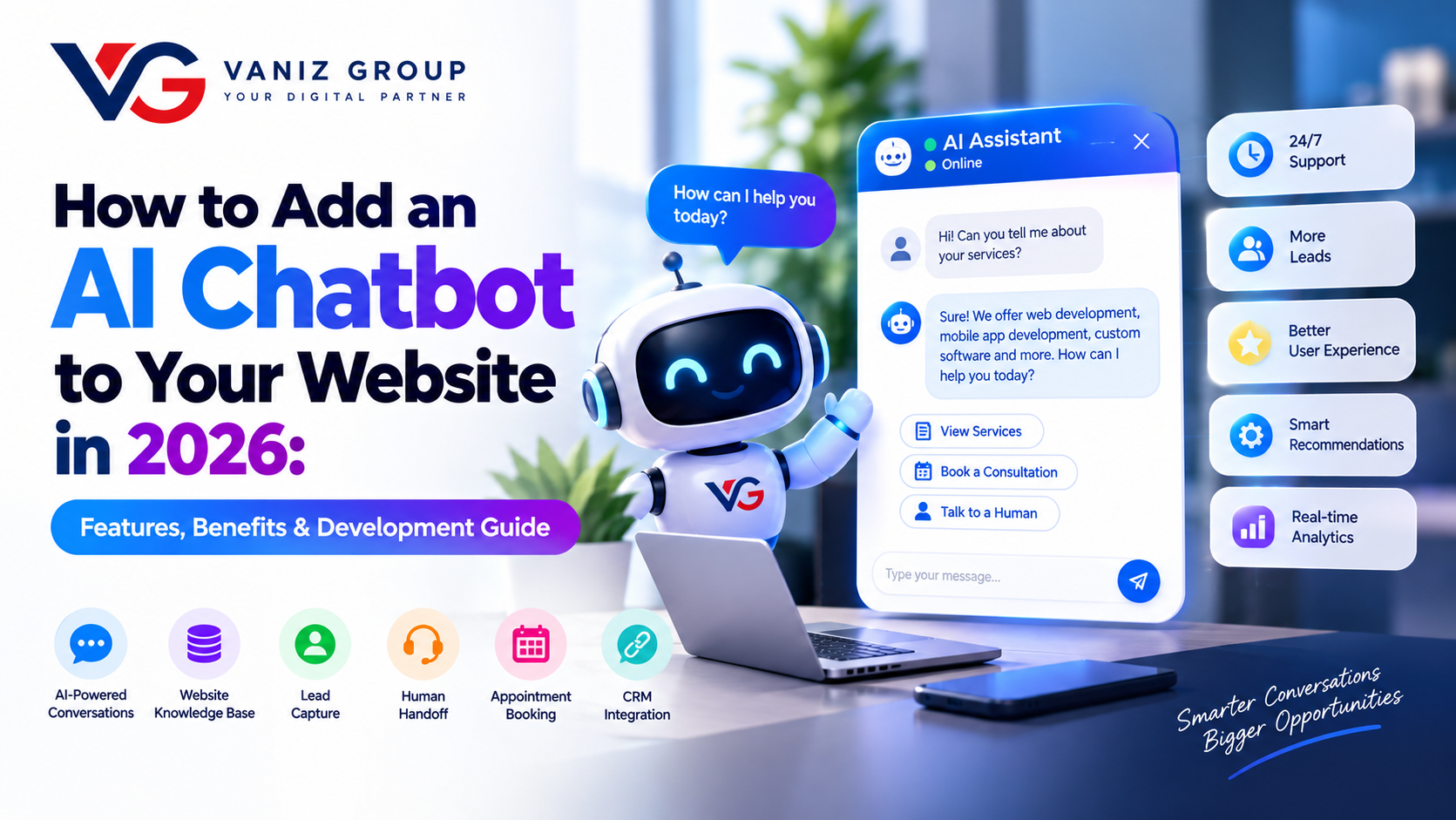
An AI chatbot can turn a traditional business website into an interactive digital assistant that helps visitors find information, answer questions, recommend products or services, capture leads, and provide support around the clock.
Modern AI chatbots can do much more than display predefined answers. By connecting an AI model to your website content, business knowledge, databases, CRM, APIs, and internal systems, you can create a chatbot that understands user questions and provides relevant responses in real time.
For businesses looking to improve customer experience, automate repetitive support tasks, and generate more leads, adding an AI chatbot to a website can be an effective software development project.
In this guide, we explain how to add an AI chatbot to your website, what features you need, which technologies can be used, development costs, implementation steps, and important security considerations.
What Is an AI Chatbot for a Website?
An AI chatbot is a software application embedded into a website that uses artificial intelligence to communicate with visitors through natural-language conversations.
Unlike a traditional rule-based chatbot that responds only to predefined questions, an AI chatbot can understand different ways of asking the same question and generate contextual responses.
For example, a software company's chatbot could answer:
What services do you provide?
How much does custom software development cost?
Can you build a mobile application?
Do you work with startups?
How long does development take?
Can I schedule a consultation?
Can you show me relevant projects?
The chatbot can also collect contact information and send qualified leads to a CRM or sales team.
Why Add an AI Chatbot to Your Website?
A well-designed AI chatbot can support several business functions.
1. Provide 24/7 Customer Support
Visitors can receive answers even when your support team is unavailable.
2. Generate More Leads
The chatbot can ask visitors about their requirements, budget, project type, and contact information before sending the lead to your sales team.
3. Answer Frequently Asked Questions
Businesses receive many repetitive questions. An AI chatbot can handle common questions automatically.
4. Improve User Experience
Instead of searching through multiple pages, visitors can simply ask the chatbot what they need.
5. Recommend Products or Services
An AI chatbot can understand a customer's requirements and recommend relevant products, services, plans, or content.
6. Reduce Support Workload
Automating repetitive conversations allows employees to focus on more complex customer requests.
7. Increase Website Engagement
Interactive conversations can encourage visitors to spend more time exploring your website.
What Features Should an AI Website Chatbot Have?
The right features depend on your business model and chatbot objectives.
AI-Powered Conversations
The core chatbot should understand natural-language questions and generate useful responses.
It should handle different wording, follow-up questions, and conversations instead of relying only on fixed keywords.
Website Knowledge Base
The chatbot should be able to access approved business information such as:
Website pages
FAQs
Product information
Service descriptions
Documentation
Policies
Blog content
Help center articles
This helps the chatbot provide responses based on your business information.
Lead Capture
For businesses using the chatbot for sales, lead capture can include:
Name
Email
Phone number
Company
Project requirements
Budget range
Preferred contact method
The chatbot can then send the information to a CRM or sales system.
Human Handoff
AI should not be expected to handle every situation.
A useful chatbot should allow users to request human assistance and transfer conversations to a support or sales representative when necessary.
Product or Service Recommendations
An e-commerce website could use AI to recommend products based on customer requirements.
A software company could recommend services based on project needs.
Appointment Booking
The chatbot can connect with a scheduling system and help visitors book consultations, demos, or appointments.
CRM Integration
Chatbot conversations and captured leads can be connected with CRM systems so sales teams can follow up more efficiently.
Multilingual Support
Businesses serving international customers can implement multiple languages depending on their target audience.
Analytics Dashboard
Useful chatbot analytics can include:
Number of conversations
Frequently asked questions
Leads generated
Conversion rate
Escalation rate
Unanswered questions
Most requested products or services
Customer engagement
How Does an AI Chatbot Work?
A typical website AI chatbot consists of several components.
Website Chat Interface → Backend/API → AI Model → Knowledge Base/Data → Response → Website
When a visitor sends a message, the website sends the request to the chatbot backend.
The backend processes the request, retrieves relevant information when necessary, sends the appropriate context to an AI model, and returns the generated response to the website.
For business-specific chatbots, a knowledge retrieval layer can be added so the AI can search approved company information before generating an answer.
This approach is commonly known as Retrieval-Augmented Generation (RAG).
How to Add an AI Chatbot to Your Website
Step 1: Define the Chatbot's Purpose
Start by deciding what the chatbot should accomplish.
For example:
Customer support
Lead generation
Product recommendations
Sales assistance
Appointment booking
Documentation support
Internal employee assistance
E-commerce customer service
A clearly defined purpose makes the architecture and feature planning much easier.
Step 2: Identify Your Knowledge Sources
Determine what information the chatbot should use.
This could include:
Website content
PDFs
FAQs
Product databases
CRM records
Internal documentation
Knowledge bases
APIs
Business databases
Only appropriate and approved information should be made available to the chatbot.
Step 3: Choose the AI Model
Depending on the use case, you can integrate a large language model through an AI API or use another suitable machine-learning model.
The choice depends on factors such as:
Response quality
Cost
Speed
Context requirements
Privacy
Data handling
Integration requirements
You do not necessarily need the most powerful model for every chatbot.
Step 4: Build the Backend
The backend acts as the communication layer between the website, AI model, knowledge sources, and business systems.
A backend can manage:
Authentication
Conversations
AI API requests
Knowledge retrieval
Rate limiting
User sessions
CRM integration
Logging
Security
Analytics
Technologies such as Node.js, ASP.NET Core, Python, or Java can be used depending on the project requirements.
Step 5: Add a Knowledge Base
If your chatbot needs to answer questions about your company, products, or services, connect it to a structured knowledge base.
For larger knowledge bases, a vector database and embedding-based search can be used to retrieve relevant information before generating an answer.
This can help reduce responses that are unrelated to the company's actual information.
Step 6: Design the Chat Interface
The chatbot should be easy to find without interfering with the website experience.
Common interface elements include:
Floating chat button
Chat window
Welcome message
Suggested questions
Message history
Typing indicator
File upload where appropriate
Contact or human-support option
The interface should also work properly on mobile devices.
Step 7: Connect Business Systems
An AI chatbot becomes more useful when it can interact with business systems.
Possible integrations include:
CRM
E-commerce platform
Booking system
Payment system
Customer database
Help desk
Calendar
Email
SMS
Internal APIs
For example, a chatbot could answer a product question, check availability through an API, and guide the customer toward completing an order.
Step 8: Add Security and Access Controls
Security should be considered from the beginning.
Important areas include:
HTTPS
Authentication
Authorization
API key protection
Rate limiting
Input validation
Data encryption
Secure database access
Access controls
Audit logging
The chatbot should not automatically have unrestricted access to sensitive business systems.
Step 9: Test the Chatbot
AI applications require more than traditional software testing.
Test questions should include:
Normal customer questions
Misspelled questions
Ambiguous requests
Follow-up questions
Unsupported questions
Incorrect assumptions
Prompt injection attempts
Sensitive information requests
Unexpected inputs
The goal is to ensure the chatbot provides useful answers while appropriately refusing or escalating requests it should not handle.
Step 10: Monitor and Improve
Launching the chatbot is not the end of development.
Monitor:
User conversations
Failed responses
Frequently asked questions
Lead quality
Response time
AI usage
API costs
Escalations
User feedback
Use this information to improve the knowledge base, prompts, workflows, and chatbot features.
Technologies Used to Build an AI Website Chatbot
A typical AI chatbot stack may include:
Frontend:
React
Next.js
Angular
Vue.js
HTML/CSS/JavaScript
Backend:
Node.js
Express.js
ASP.NET Core
Python
Java/Spring Boot
Database:
PostgreSQL
MySQL
SQL Server
MongoDB
AI:
Large language model APIs
Embedding models
Machine-learning models
RAG pipelines
Vector Search:
Vector databases
Vector-enabled relational databases
Search platforms with semantic search
Infrastructure:
AWS
Microsoft Azure
Docker
CI/CD
Cloud storage
Monitoring systems
The exact technology stack should be selected according to the chatbot's functionality, expected traffic, security requirements, and existing website architecture.
RAG vs a Basic AI Chatbot
A basic AI chatbot can generate responses based primarily on its model capabilities and the instructions provided to it.
A RAG-based chatbot can retrieve relevant information from your own knowledge base before generating an answer.
For example, if a visitor asks:
"What is your refund policy?"
A RAG chatbot can retrieve the relevant policy from an approved knowledge source and use that information to formulate the response.
This approach can be particularly useful for businesses with large amounts of frequently updated information.
How Much Does It Cost to Add an AI Chatbot to a Website?
The cost depends heavily on the chatbot's complexity.
Basic AI Chatbot
Estimated development cost: $2,000–$5,000
Suitable for:
Simple website integration
AI conversations
Basic FAQs
Limited knowledge base
Basic analytics
Business AI Chatbot
Estimated development cost: $5,000–$15,000
May include:
Custom knowledge base
RAG
Lead capture
CRM integration
Analytics
Human handoff
Multiple workflows
Admin controls
Advanced AI Chatbot Platform
Estimated development cost: $15,000–$50,000+
May include:
Multiple AI workflows
Advanced RAG
Business API integrations
CRM and ERP integrations
Personalized responses
Multi-language support
Advanced analytics
Role-based access
Custom admin dashboard
Enterprise security
These are broad planning estimates rather than fixed quotes. Actual costs depend on the AI model, integrations, data architecture, UI complexity, security requirements, traffic, and development scope.
How Long Does It Take to Add an AI Chatbot?
A basic chatbot can often be implemented within a few weeks.
A custom business chatbot may require 1–3 months, while a more advanced AI platform with multiple integrations and workflows can require 3–6+ months.
The timeline depends on the existing website, API availability, knowledge base, integrations, testing requirements, and feature complexity.
Common Challenges in AI Chatbot Development
AI Hallucinations
AI models can sometimes generate information that is inaccurate or unsupported.
Using controlled knowledge sources, retrieval systems, validation, and appropriate prompts can help reduce this risk.
Data Privacy
Chatbots may process customer information, so businesses need appropriate privacy and data-handling practices.
Requirements vary depending on the country, industry, type of data, and chatbot functionality.
AI Costs
Every AI request can create usage costs. High-traffic websites therefore need appropriate model selection, caching, rate limits, and usage monitoring.
Integration Complexity
Connecting a chatbot with CRM, ERP, e-commerce, booking, or internal systems can require substantial backend development.
Security
An AI chatbot should not become an unrestricted gateway to sensitive business information or internal systems.
How to Make Your AI Chatbot More Effective
Instead of building a chatbot simply because AI is popular, focus on solving a specific customer problem.
You can improve the experience by:
Providing clear suggested questions
Connecting the chatbot to reliable business data
Giving it access only to appropriate information
Offering human support
Personalizing responses
Adding lead qualification
Connecting CRM and business systems
Monitoring unanswered questions
Improving the knowledge base regularly
Measuring conversions and customer satisfaction
The best chatbot is usually the one that solves a real business problem rather than simply generating impressive conversations.
Final Thoughts
Adding an AI chatbot to your website can transform a static website into an interactive customer experience. From answering questions and generating leads to providing product recommendations and connecting users with business systems, AI chatbots can support multiple parts of the customer journey.
The key is to start with a clear business objective, select an appropriate AI architecture, connect reliable data sources, implement security, and continuously improve the chatbot based on real user interactions.
If you are planning to add an AI chatbot to your website, Vaniz Group can help you plan, design, develop, integrate, and deploy a custom AI-powered chatbot based on your business requirements.
Build an AI Chatbot for Your Website With Vaniz Group
Whether you need a simple AI assistant, a RAG-powered knowledge chatbot, an AI lead-generation assistant, or a chatbot integrated with your CRM and business systems, Vaniz Group can develop a solution around your specific workflow.
Have an AI chatbot idea? Contact Vaniz Group to discuss your requirements and development plan.