 Our Client Reviews

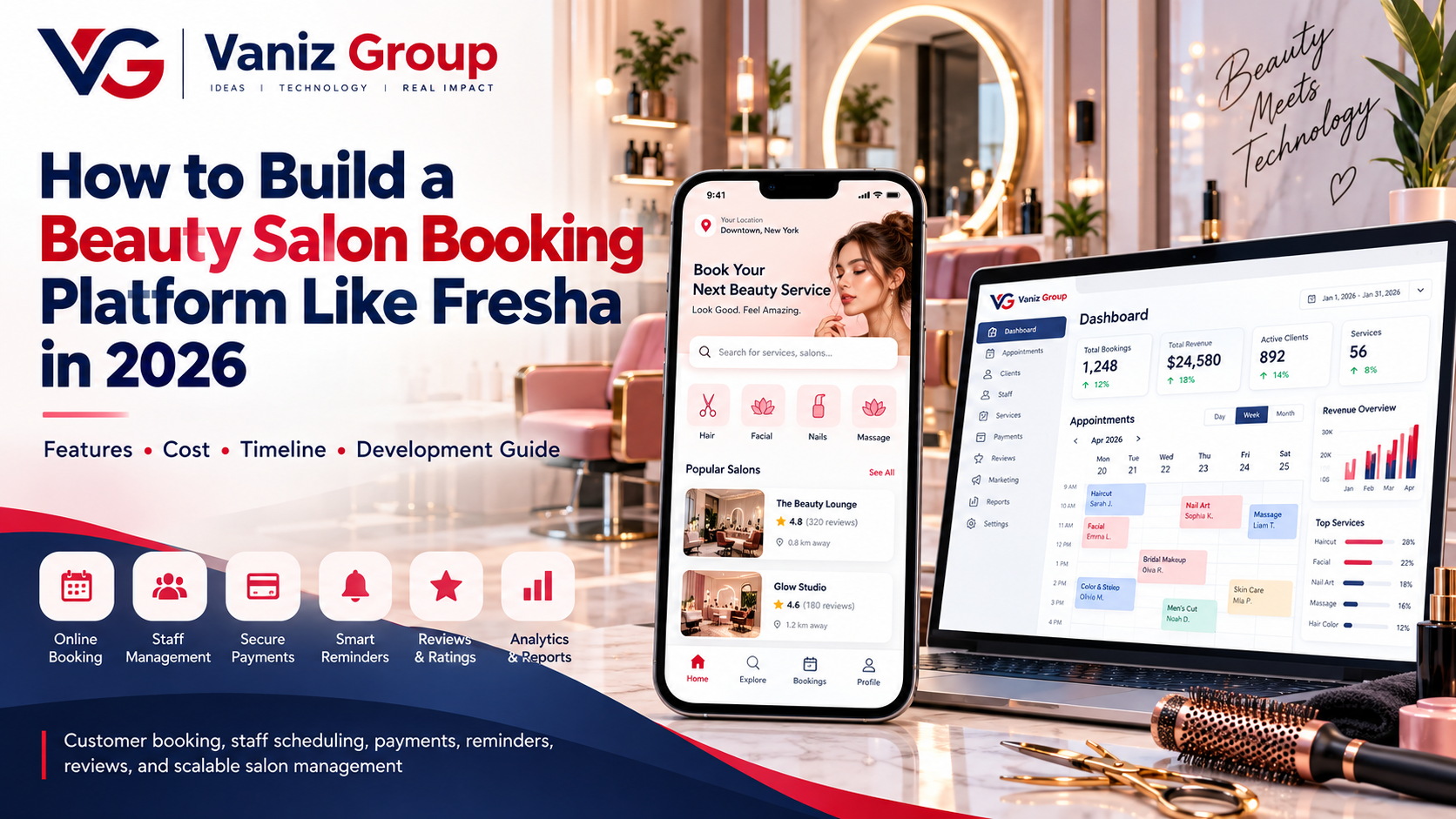
The beauty and wellness industry is rapidly adopting digital booking and management solutions. Customers increasingly expect to discover salons, compare services, check availability, book appointments, make payments, and receive reminders directly from their phones.
Platforms such as Fresha demonstrate how salon discovery, appointment booking, business management, payments, customer engagement, and marketplace functionality can be combined into one digital ecosystem.
If you are planning to build a similar platform, the project involves much more than creating an appointment calendar. A complete beauty salon booking platform needs customer-facing features, salon management tools, staff scheduling, payments, notifications, reporting, and a scalable backend.
In this guide, we explain how to build a beauty salon booking platform like Fresha in 2026, including essential features, technology, development steps, estimated cost, timeline, and monetization options.
What Is a Beauty Salon Booking Platform?
A beauty salon booking platform is a web or mobile application that connects customers with salons, spas, beauty professionals, and wellness businesses.
Customers can use the platform to:
Discover salons
Search for beauty services
Compare prices
View professional profiles
Check availability
Book appointments
Make payments
Receive reminders
Leave reviews
Salon owners can use the platform to manage:
Appointments
Staff
Services
Customers
Payments
Offers
Inventory
Business performance
A Fresha-like platform can therefore function as both a customer marketplace and salon management software.
How Does a Beauty Salon Booking Platform Work?
A typical booking workflow looks like this:
Customer → Salon Search → Service Selection → Staff Selection → Available Slot → Booking → Payment → Confirmation → Reminder → Appointment
For example:
A customer creates an account.
The customer searches for a salon or beauty service.
The platform displays relevant salons and professionals.
The customer opens a salon profile.
Available services and prices are displayed.
The customer selects a service.
An available date and time are selected.
The customer confirms the booking.
Payment or a deposit is collected if required.
The salon receives the appointment.
The customer receives confirmation and reminders.
After the appointment, the customer can leave a review.
The system must synchronize salon availability, staff schedules, services, appointment duration, and bookings in real time.
Key Features of a Beauty Salon Booking Platform
1. Customer Registration and Login
Customers should be able to create accounts using:
Email
Phone number
OTP verification
Social login where appropriate
The customer profile can contain basic information, appointment history, preferences, saved salons, and payment-related information where applicable.
2. Salon Discovery
The platform should make it easy for customers to discover nearby salons and beauty professionals.
Customers can search based on:
Location
Service
Price
Rating
Availability
Distance
Salon type
Beauty professional
Date and time
Location-based discovery is particularly useful for customers searching for salons nearby.
3. Salon Profiles
Each salon should have a dedicated profile containing:
Salon name
Photos
Address
Opening hours
Services
Prices
Beauty professionals
Ratings
Reviews
Available appointment slots
Contact information
Cancellation policy
A detailed profile helps customers make informed booking decisions.
4. Beauty Services Catalog
Salon owners should be able to create and manage their service catalog.
Examples include:
Haircuts
Hair coloring
Hair styling
Facials
Manicures
Pedicures
Makeup
Waxing
Massage
Spa treatments
Nail services
Beauty packages
Each service can have its own:
Price
Duration
Description
Assigned staff
Availability
Images
5. Staff Selection
Customers can optionally select a particular professional.
For example, a customer might choose:
Hair Styling → Sarah → Saturday → 3:00 PM
The system should then check Sarah's availability and display appropriate time slots.
6. Real-Time Appointment Availability
A reliable scheduling engine is one of the most important components of the platform.
It should consider:
Staff working hours
Service duration
Break periods
Holidays
Existing appointments
Salon opening hours
Staff leave
Multiple locations
Buffer time between services
The system should prevent double bookings and automatically update availability when appointments are created, cancelled, or rescheduled.
7. Online Appointment Booking
Customers should be able to complete the entire booking process online.
The booking workflow can include:
Select salon
Select service
Select professional
Select date
Select time
Confirm customer details
Apply coupon if applicable
Pay or provide a deposit
Receive confirmation
A simple booking process can significantly improve the customer experience.
8. Online Payments
Payment integration allows customers to pay for services before or after an appointment.
Depending on the market, the platform can support:
Credit cards
Debit cards
Digital wallets
Bank payments
UPI
Other regional payment methods
The platform should also support appropriate refund, cancellation, deposit, and payment-status workflows.
9. Appointment Management
Customers should be able to manage their appointments from their dashboard.
Features can include:
Upcoming appointments
Past appointments
Cancellation
Rescheduling
Booking details
Payment receipts
Appointment reminders
Salon staff should receive updates whenever an appointment is created or changed.
10. Notifications and Reminders
Automated notifications can reduce missed appointments.
The platform can send:
Booking confirmation
Appointment reminders
Cancellation notifications
Rescheduling notifications
Promotional notifications
Payment confirmations
Channels can include:
Push notifications
Email
SMS
In-app notifications
11. Ratings and Reviews
Customers can review salons and beauty professionals after completing a service.
The review system can include:
Star ratings
Written reviews
Service-specific feedback
Professional ratings
Moderation functionality should also be available to manage inappropriate or fraudulent reviews.
Salon Management Features
A major advantage of a Fresha-like platform is that salon owners need more than customer bookings.
They also need tools to operate their business.
Staff Management
Salon owners can:
Add employees
Create staff profiles
Assign services
Configure working hours
Manage staff availability
Manage leave
View individual schedules
Calendar Management
The salon dashboard can provide a centralized calendar showing:
Upcoming appointments
Staff schedules
Available slots
Cancelled bookings
Rescheduled appointments
Calendar views can be organized by day, week, staff member, or location.
Customer Management
Salon owners can maintain customer profiles containing permitted business information such as:
Contact details
Appointment history
Preferred services
Booking frequency
Notes
Loyalty information
Access to personal information should follow applicable privacy requirements.
Inventory Management
For salons that sell or use beauty products, inventory functionality can track:
Product name
Stock quantity
Purchase price
Selling price
Supplier
Stock movements
Low-stock alerts
This can turn the platform into a broader salon management system.
Offers and Promotions
Salon owners can create:
Discount codes
Seasonal offers
Service bundles
First-visit promotions
Membership plans
Loyalty rewards
Gift cards
These features can help salons encourage repeat bookings.
Admin Dashboard Features
The platform administrator needs a centralized dashboard to manage the marketplace.
Important functionality includes:
User Management
Manage customer accounts and user activity.
Salon Management
Approve, manage, suspend, or update salon listings according to the platform's policies.
Service Management
Manage service categories and marketplace-wide settings.
Booking Management
Monitor appointments, cancellations, disputes, and platform activity.
Payment Management
Track transactions, commissions, refunds, and provider payouts.
Review Management
Moderate reported or inappropriate reviews.
Analytics
Monitor:
Total bookings
Active salons
Active customers
Revenue
Commission
Popular services
Booking trends
Customer activity
Advanced Features for a Fresha-Like Platform
Once the core platform is established, you can add advanced capabilities.
AI-Powered Beauty Recommendations
AI can recommend relevant services based on customer preferences, previous bookings, and other permitted data.
For example, the platform could help customers discover suitable salon services based on their selected preferences.
Loyalty Programs
Customers can earn points for:
Bookings
Repeat visits
Referrals
Purchases
Promotional campaigns
Points can potentially be exchanged for eligible rewards.
Membership Plans
Salons can offer recurring membership packages with benefits such as:
Discounted services
Monthly treatments
Priority booking
Exclusive offers
Gift Cards
Customers can purchase gift cards for friends or family.
The system should support:
Digital gift cards
Unique codes
Balance tracking
Expiration rules where applicable
Redemption tracking
Multi-Location Support
Large salon businesses may operate multiple branches.
The platform should allow businesses to manage:
Locations
Staff
Services
Inventory
Appointments
Revenue
from a centralized dashboard.
Home Beauty Services
The platform can also support professionals who provide services at the customer's location.
This introduces additional functionality such as:
Customer address management
Service radius
Travel fees
Professional location tracking where appropriate
Travel time
Availability by location
How to Build a Beauty Salon Booking Platform Like Fresha
1. Define Your Business Model
First determine what your platform will offer.
You could build:
Salon booking marketplace
Salon management software
Beauty professional marketplace
Spa booking platform
Beauty and wellness marketplace
Salon SaaS platform
Beauty services marketplace
Your business model will influence the platform architecture and monetization strategy.
2. Research Your Target Market
Study the market you plan to serve.
Consider:
Target customers
Salon owners
Beauty professionals
Popular services
Local payment methods
Pricing models
Competitor platforms
Local regulations
This helps you decide which features should be included in the MVP.
3. Plan the MVP
A practical first version could include:
Customer registration
Salon registration
Salon profiles
Service catalog
Staff management
Availability management
Appointment booking
Payments
Notifications
Reviews
Admin dashboard
Advanced features can be added after validating the platform.
4. Design the UI/UX
The platform should provide separate experiences for:
Customers
Salon owners
Beauty professionals
Administrators
The customer booking flow should remain simple and mobile-friendly.
5. Choose the Technology Stack
A possible technology stack includes:
Mobile App: Flutter, React Native, native Android, native iOS
Web Application: React, Angular, Next.js, or Vue.js
Backend: Node.js with Express, ASP.NET Core, or Java/Spring Boot
Database: PostgreSQL, MySQL, SQL Server, or MongoDB where appropriate
Cloud: AWS or Microsoft Azure
Infrastructure: Docker, CI/CD, monitoring, and scalable cloud infrastructure
Communication: WebSockets, push notifications, email, and SMS
The final stack should be selected according to the platform's functionality, integrations, expected traffic, and development requirements.
6. Develop the Backend and APIs
The backend manages the core business logic.
It can handle:
Authentication
Users
Salons
Services
Staff
Availability
Appointments
Payments
Reviews
Notifications
Reports
A well-structured API layer also allows the same backend to serve mobile applications, websites, and administrative dashboards.
7. Build the Scheduling Engine
The appointment engine needs to understand:
Service duration
Staff availability
Salon hours
Breaks
Existing appointments
Holidays
Staff leave
Multiple branches
Buffer times
Reliable transaction handling is important to prevent conflicting bookings.
8. Integrate Payments and Notifications
Integrate the appropriate payment providers and communication services for your target market.
The system should handle payment success, failure, refunds, deposits, cancellations, and other relevant states.
9. Test the Platform
Testing should cover:
Customer registration
Salon registration
Service management
Staff availability
Appointment booking
Concurrent booking attempts
Cancellation
Rescheduling
Payments
Notifications
Reviews
Admin permissions
Performance
Security
Load testing is particularly important if you expect many salons and customers to use the platform simultaneously.
How Much Does It Cost to Build a Beauty Salon Booking Platform?
The cost depends on the number of features, platforms, integrations, design complexity, and development team.
As a broad planning estimate:
Platform Type | Estimated Cost |
|---|---|
Basic Salon Booking MVP | $10,000–$20,000 |
Multi-Salon Booking Platform | $20,000–$50,000 |
Advanced Beauty Marketplace | $50,000–$100,000+ |
These are broad estimates rather than fixed development prices. Features such as AI recommendations, multi-location management, home services, advanced inventory, memberships, complex payment systems, and marketplace functionality can increase the overall cost.
How Long Does It Take to Build?
A basic salon booking MVP may take approximately 2–4 months.
A multi-salon marketplace with customer and business dashboards may take around 4–7 months.
A more advanced beauty marketplace with payments, inventory, memberships, home services, AI, and multiple integrations can require 7–12+ months.
The actual timeline depends on scope, integrations, design, testing, and team size.
How Can a Beauty Booking Platform Make Money?
A beauty booking platform can use several monetization models.
Commission
Charge salons a percentage or fee for completed bookings.
Subscription
Offer salons monthly or annual plans with different features.
Featured Listings
Allow businesses to promote their profiles according to the platform's advertising policies and applicable local requirements.
Payment Processing Fees
A platform may charge an appropriate service or processing fee where permitted and clearly disclosed.
Premium Business Features
Advanced functionality can be offered through paid plans, such as:
Advanced analytics
Marketing tools
Inventory management
Automated campaigns
Multi-location management
Staff management
A hybrid model can combine subscriptions, marketplace fees, and premium software features.
Common Challenges in Beauty Salon Booking Platform Development
Real-Time Availability
Availability changes whenever appointments are booked, cancelled, or rescheduled.
Double Bookings
The scheduling system needs appropriate concurrency controls to prevent two customers from receiving the same appointment slot.
Staff Scheduling
Different professionals may have different working hours, services, breaks, and leave periods.
Multiple Locations
Businesses with several branches require location-specific schedules, services, staff, and inventory.
Payments and Refunds
The platform needs clear rules for deposits, cancellations, refunds, and provider payouts.
Scalability
As the number of salons and customers grows, the database, search system, APIs, notification infrastructure, and booking engine need to scale accordingly.
How to Make Your Beauty Booking Platform Different
Rather than trying to duplicate an established platform feature-for-feature, focus on a specific market opportunity.
You could build a platform around:
Local independent salons
Luxury beauty services
Mobile/home beauty services
Spa and wellness
Makeup artists
Bridal beauty services
Nail salons
Hair professionals
Beauty professionals in specific cities
Multilingual beauty services
Subscription-based beauty services
You can also combine booking software and business management tools, allowing salons to use the platform not only to receive bookings but also to manage their day-to-day operations.
Final Thoughts
Building a beauty salon booking platform like Fresha requires more than a simple appointment calendar. A successful platform needs a combination of customer discovery, service management, staff scheduling, real-time availability, appointment booking, payments, notifications, reviews, business management, and scalable technology.
Starting with an MVP can help validate the concept before investing in advanced functionality. Once the core booking experience is established, features such as memberships, loyalty programs, inventory management, home services, multi-location management, and AI-powered recommendations can be introduced.
The architecture should be designed from the beginning to support future growth, multiple businesses, and additional services.
Build Your Beauty Salon Booking Platform With Vaniz Group
Vaniz Group develops custom mobile applications, web platforms, booking systems, business management software, APIs, payment integrations, and cloud-based solutions for businesses across different industries.
Whether you want to build a salon booking marketplace, beauty appointment platform, spa booking system, or complete salon management software, we can help turn your concept into a scalable digital platform.
Have a beauty technology idea? Contact Vaniz Group to discuss your features, business model, technology requirements, and development roadmap.